


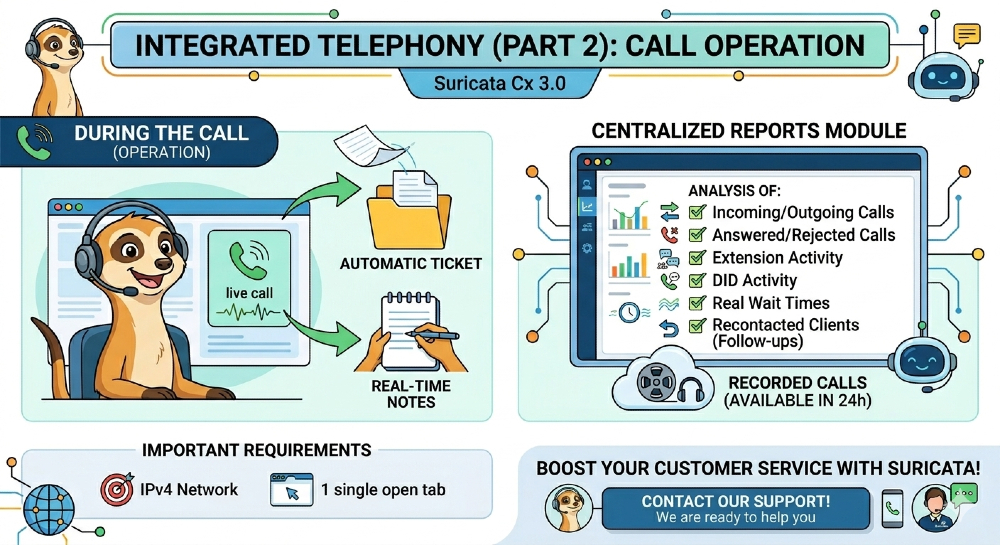
Here’s how to operate telephony during calls.
In our previous Newsletter, we talked about how telephony works within Meerkat Cx 3.0 and how it allows you to centralize your entire operation within a single platform. Now, we are going to tell you what happens during calls.
The first thing tohighlight is that when a call is answered or rejected:
? The associated ticket is automatically created.
? Internal notes can be added in real time while the conversation with the customer is ongoing.
On the other hand, it’s important to emphasize that all information is centralized in the reporting module, where you can analyze:
✅ Incoming and outgoing calls.
✅Answered and rejected calls.
✅Activity by extension.
✅Activity by DID (Direct Inward Dialing, the public number your customers call).
✅Actual wait times.
✅Contacted-again customers (callbacks).
In addition to logging answered calls, these will also berecorded and available for listening 24 hours after they are received.
Finally, here are the key requirements to access Integrated Telephony:
? Be connected to an IPv4 network.
? Do not have more than one Meerkat tab open with telephony active (this may block the system).
? That’s why, if you want to implement Integrated Telephony in your customer service operations, please contact the Meerkat Support team—they’re ready to help.
? Our team will guide you through the entire process so you can start operating smoothly.
And if you’d like to learn more about Meerkat Cx 3.0, please do not hesitate to contact us.
Diego Cúneo
Director de Meerkat Media & PR LAB
Periodista y comunicador con una trayectoria de más de 30 años en medios de comunicación masiva de primer nivel. Especialista en Comunicación Corporativa, Relaciones Públicas e Institucionales, con amplia labor en grandes empresas.