


Let us show you how to get the most out of another feature of our tool
Continuing our deep dive into the functionalities of our platform, today we want to show you how Telephony works within Meerkat Cx 3.0 and how it allows you to centralize your entire operation in a single platform.
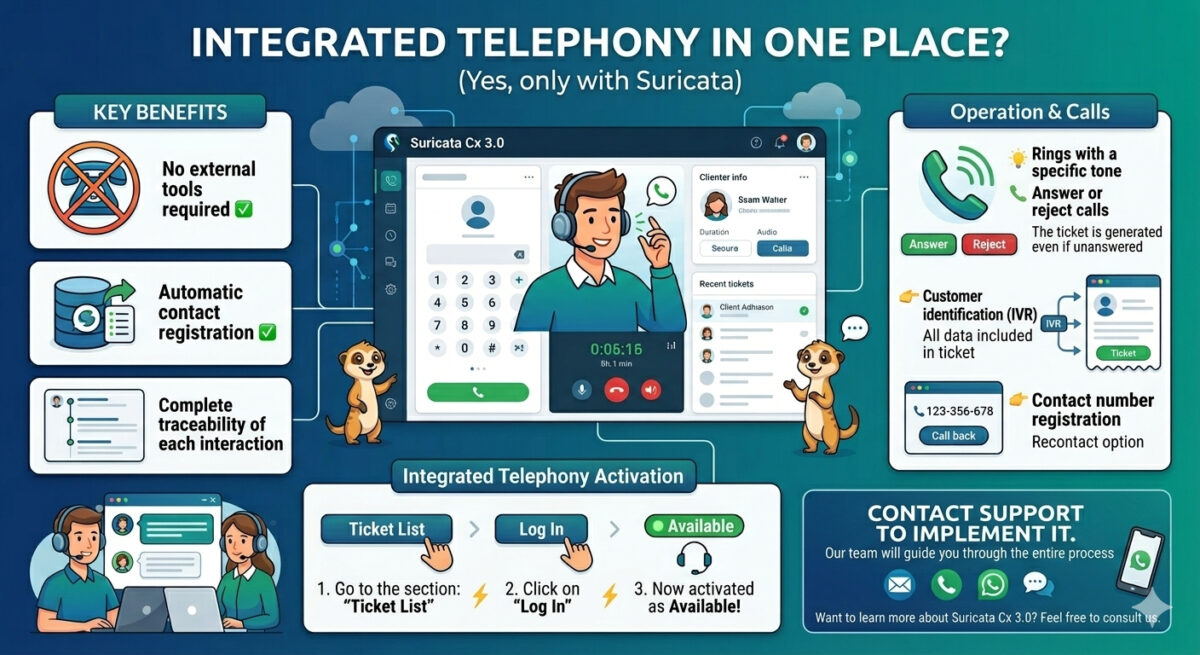
Meerkat Cx 3.0 enables you to handle and make calls without leaving the platform. This means that:
✅ No external tools are required.
✅ All contacts are automatically recorded.
✅ It provides complete traceability for every interaction with the customer.
Now, how do you enable Integrated Telephony?
⚡ First, go to the “Ticket List” section.
⚡ Then click on “Log in,” which will activate the agent as available to receive/make calls.
What happens once it’s enabled?
💡 The system will issue a ringtone, indicating that there is an incoming call.
💡 The agent can then choose to answer or reject the call.
It’s important to note that every incoming call will automatically generate a ticket, even if it is not answered.
Additionally:
👉 If the customer was previously identified in the IVR flow, the ticket will include all their information.
👉 It will also log the phone number used to contact you, enabling you to reach out again (callback).
That’s why, if you want to implement Integrated Telephony in your customer service operations, please contact the Meerekat Support team, they’re ready to help. Our team will guide you through the entire process so you can start operating smoothly.
And if you’d like to learn more about Meerkat Cx3.0, please do not hesitate to contact us.
Martin Weidemann is a specialist in digital transformation, telecommunications, and customer experience, with more than 20 years leading technology projects in fintech, ISPs, and digital services across Latin America and the U.S. He has been a founder and advisor to startups, works actively with internet operators and technology companies, and writes from practical experience, not theory. At Suricata he shares clear analysis, real cases, and field learnings on how to scale operations, improve support, and make better technology decisions.